Controlling what your AI agents can do across your systems
Controlling what your AI agents can do across your systems
An AI agent that works across your systems signs in ten different ways: single sign-on here, an API key there, a service account, a web page with a password. Where sign-in is solved, it tells the system who the agent is. It does not decide whether this particular change should happen. And an agent that runs by itself, at night or when an event fires, has no user behind it to ask. This post shows the problem with one example and lists what has to be in place before such an agent is allowed to change anything.
Example: a supplier asks to change their bank details
A supplier-upkeep agent runs every night. Nobody starts it.
At 02:10 it finds an email in the supplier mailbox: new bank details, please update before the next payment run. It updates the supplier record in the ERP, where it signs in properly, with its own identity, through single sign-on. Then it updates the payee in the bank's portal, which has no API, by opening a browser and using a stored login. It is done by 02:11.
The email was fake. The next payment run pays a stranger. The ERP's log says the agent made the change. The bank's log says a service account did. Both are true, and neither says who decided that this change should be made, because nobody did.
Ten systems, ten ways to sign in
Ask a platform team how their agents authenticate and you will often get a good answer for the modern half of the estate. The agent has its own identity in the identity provider, and permissions are scoped.
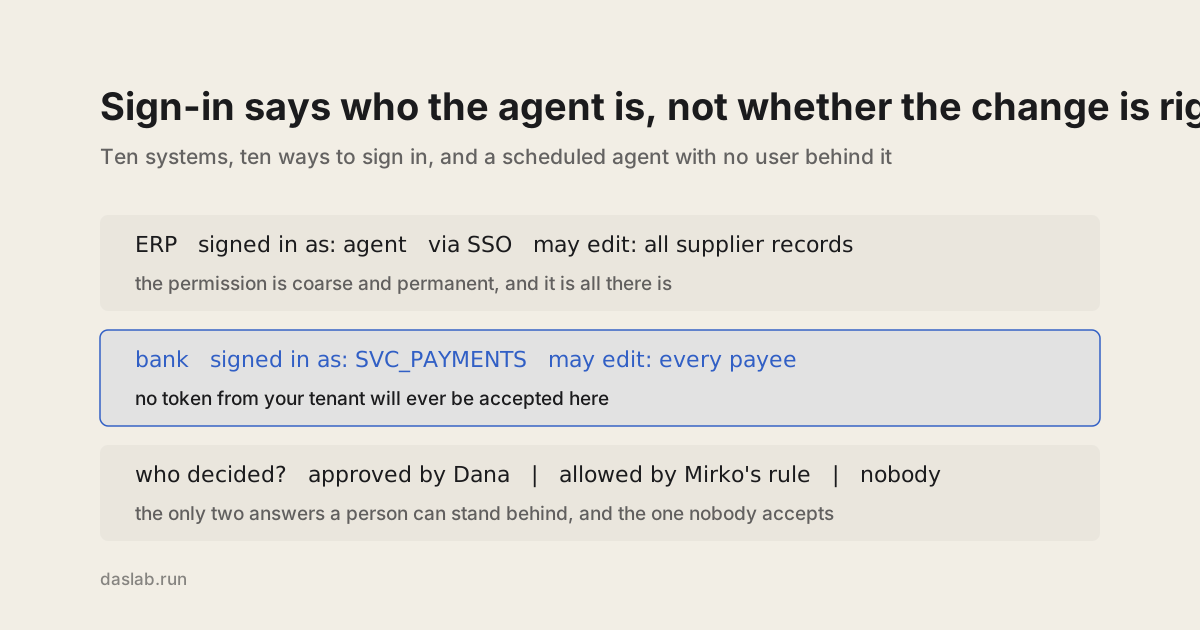
Then there is the other half. The legacy application with one shared service account. The on-premise system that knows nothing about tokens. The machine on the shop floor. The partner's extranet, the bank, the tax authority, the freight forwarder's booking page, none of which will ever accept a token from your tenant. For those the agent gets what integrations have always had: a login from a vault, used by every run. What may it do there? Whatever that login may do.
Single sign-on says who signed in, not whether the change should happen
It is tempting to treat the first half as solved. It is not. Signing in properly gives the agent a name and a set of permissions, and permissions are coarse and permanent. An agent that is allowed to send mail can send any mail to anyone. An agent that may edit supplier records may edit all of them, tonight, for any reason.
For a person that is acceptable, because a person brings judgement and can be asked afterwards. The permission was never meant to carry the decision. With an agent, it is the only thing there.
A scheduled agent has no user. Somebody still has to answer for it
When a person asks an agent to do something, that person's name can travel with the request. The agents that do the most work will not have one. They reconcile statements, renew listings, chase late shipments and update payee lists while everyone is asleep. Every system they touch records the same thing: the agent did it.
"The agent did it" is not an answer an auditor accepts, and it should not be one you accept either. There are only two ways a person can stand behind something an autonomous agent does. Either a person approved this action before it happened, or a person decided in advance that actions of exactly this kind may happen without asking, and put their name on that decision. Anything else means nobody decided.
It is your agent, so it is your liability
When a vendor's assistant does damage, there is a vendor to call. You built this one. You chose the model, wrote the prompt, stored the logins and scheduled the run. If it changes a payee, files the wrong declaration or cancels two hundred orders overnight, every log on the other side points at you.
You cannot wait for the other systems to fix it. There are too many, half of them are old, and the ones outside your company will never adopt your identity provider. The control has to sit on your side, in front of the change.
What has to be in place before an agent changes anything
Four things, whoever builds them. This is how Daslab does each.
The agent can only use the logins of its own project. In Daslab every workflow becomes a scene: its data, its tools, the agent that runs it, and the history of everything it did. You connect an account once for the workspace, whatever its way of signing in. An agent can use it only if the account was placed in its scene. The supplier-onboarding agent cannot use the treasury login, because it is not there.
Every write waits for a person, unless somebody decided otherwise. Reads run freely. A write stops and shows the exact change before anything happens on the other side. This is the same in every system, however the agent signed in.
The decision to stop asking has a name on it. A rule names one tool and, if you want, how one of its inputs must begin. Allow git push, not everything the account could do. A rule lasts for one job, or stays on the scene, where the settings show who added it and when. That is the second of the two ways a person can stand behind an autonomous action, and it is written down.
There is one history across all ten systems. It names the agent, the job, the request, and who let each change run: the person who approved it, or the person whose rule allowed it. When a job runs unattended it says that too, with nobody named. Each step refers to the one before it by content, so changing a step breaks everything after it, and a reader can check.
You do not have to move your agents to get this. A scene is an MCP server, so the agent stack you already run calls it like any other tool, and the MCP servers you already connected can sit behind it. Put it in front of the tools that write. Leave the harmless reads where they are.
The same night, with those in place
02:10, same email. The agent reads the message, the supplier's record, and the last three invoices, which all carry the old account number. It prepares two changes: the supplier record in the ERP and the payee at the bank.
Both are writes, so the run stops, in the system with single sign-on as much as in the one without. Dana in treasury gets a notification. When she opens it at 07:40 she sees the old account number and the new one, next to the email and the three invoices that disagree with it. She rings the supplier on the number in the master record. They sent no such email. She declines.
Nothing changed anywhere. The history shows the request, every read, the two proposed changes, and "declined by Dana, 07:52".
What this does not do
The other systems' logs still show what they showed before: the agent's identity in one, a service account in the other. Nobody can change what another system records. The request, the evidence and the approval are in the scene's history, and an auditor needs that next to the system's own log.
It also does not replace your identity work. Keep the agent identities and the single sign-on. They answer who the agent is. This answers who decided.