Daslab Show for Mac
Screen capture for your team and your AI
Press your shortcut, mark it up, press Enter. The link is on your clipboard, ready for Slack, Claude or ChatGPT.
You're on the list. We'll email you the download.
Free on your Mac. Share links come with every Daslab plan.
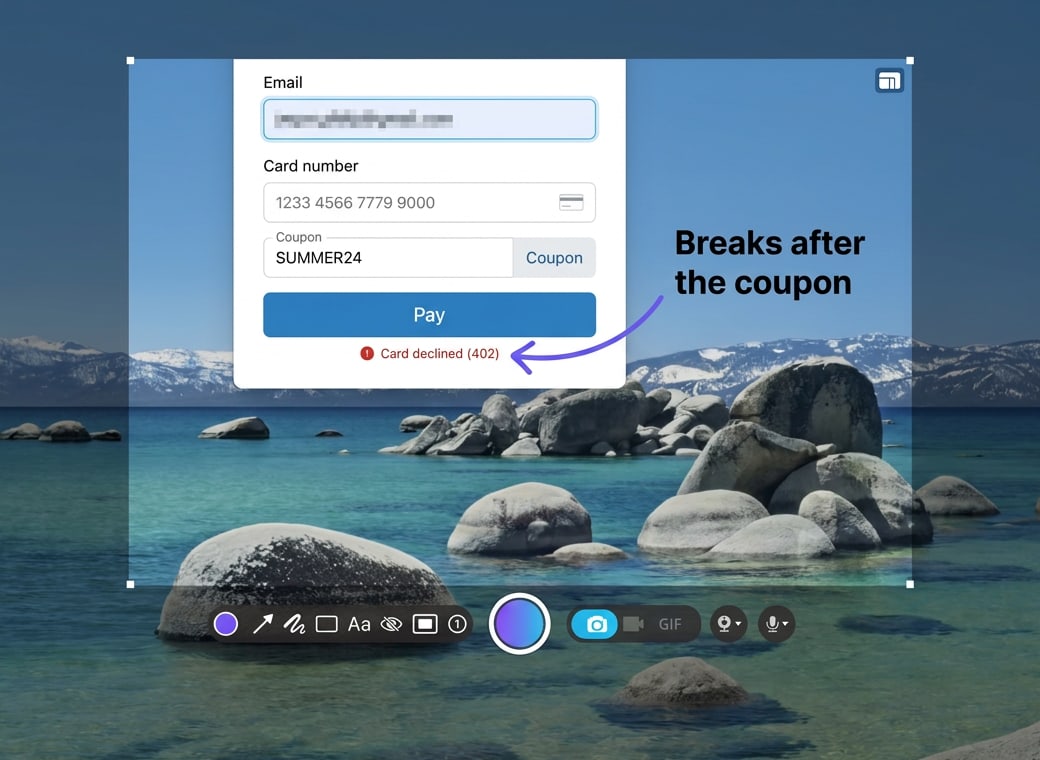
Paste it into Claude or ChatGPT
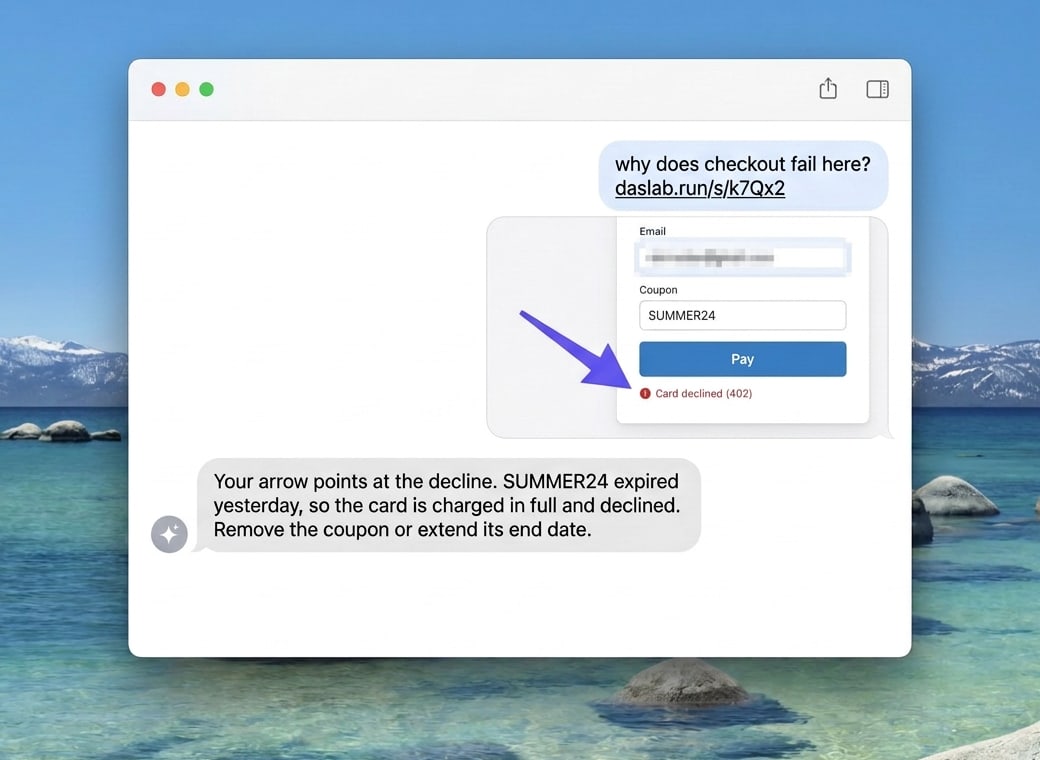
A Show link works with Claude and ChatGPT: they see what you saw, with every arrow you drew, so you don't have to describe the bug. Your team opens the same link as a picture.
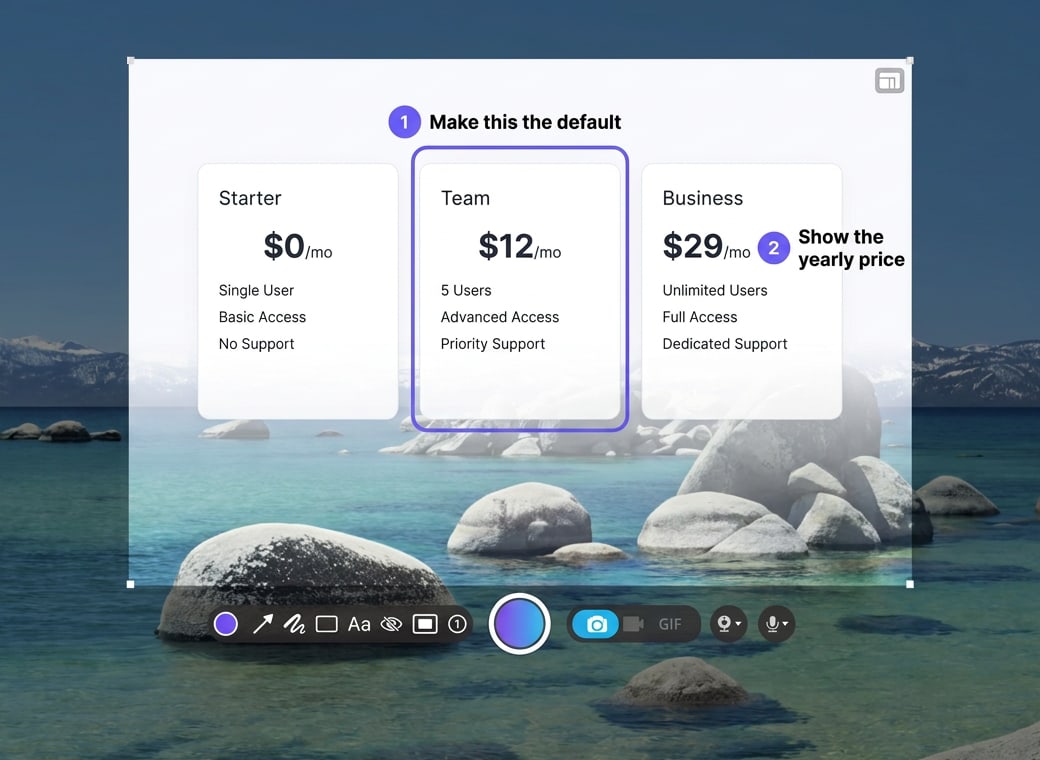
Feedback your team can act on
Number your notes, so a reply can say which one is done.
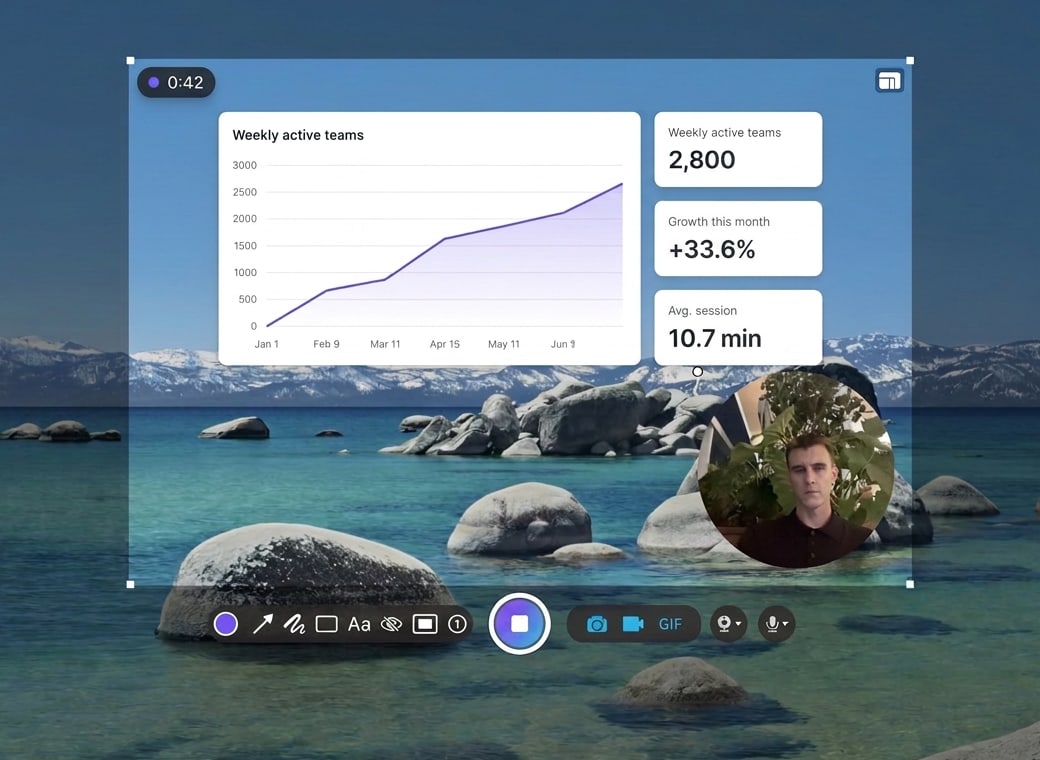
Show it instead of typing it
Record a walkthrough with your voice and camera, and share it the same way.
Capture anything
Press your shortcut and drag over any app, on any display.
Mark it up
Arrows, text and blur, in a couple of clicks.
Share the link
Press Enter. The link is already on your clipboard.
Record
Videos and GIFs, with your voice and a camera view.
Pin
Keep a screenshot above everything while you work.
Find it again
Every capture you made, one click from its link.
Included with Daslab
Capturing is free. Share links come with every Daslab plan, Free included, and every capture lands in your workspace, where your team can find it.
Do I need an account?
Not to capture. Sign in with Daslab when you want share links.
Who can open my links?
Anyone you send one to. Turn a link off, or reset it so the old one stops working, from your Daslab workspace.
Where does Show come from?
Show is built from the code of Zappy by Zapier, by the team that originally developed it: Blackbelt Labs, the team behind Daslab.
When can I get it?
The download goes to the early access list first. Leave your email at the top of this page.
Get Show first
You're on the list. We'll email you the download.
Show is not made or endorsed by Zapier.