Features
Every workflow becomes a scene: its data, its tools, the agent that runs it, and the history of everything it did. Here is everything a scene comes with.
Scenes
A scene holds what one piece of work needs: live data from your apps, the tables your team keeps, dashboards, forms and notes.
- Live dataOrders from SAP, a Shopify feed or a sensor reading, each kept current by itself.
- TablesRecords your team edits at the same time, and SQL across them, even across scenes.
- Dashboards and formsAsk for a chart, a board or a form, and Daslab builds it in the scene.
- Knowledge baseNotes and notebooks that every job can find and quote.
- BlueprintsStart from a working scene with sample data instead of a blank page.
- SharingKeep a scene to yourself, share it with your team, or give it a public page.
Jobs
Ask in plain words and a job does the work, right away, on a schedule or when something happens. It can wait days for a reply and carry on where it stopped.
- Questions and tasksType what you need. The job works through it step by step and shows each step.
- SchedulesEvery morning, every Monday or every ten minutes.
- TriggersA webhook, an MCP event or a change in a connected system starts a job.
- Follow-upsA job waits days for a reply, a person or a date, then picks up where it stopped.
- Saved scriptsSave a job that worked and run it again, step for step.
- MeetingsBetaEveryone follows the transcript as it is said, and you can ask Daslab out loud.
Browser and computer
Every scene has its own computer. Jobs run code on it, keep files, and use websites that have no API.
- A computer per sceneA shell, and a disk that keeps files between jobs.
- BrowserOpen pages, click, fill in forms and download files, in a real browser.
- Your MacOn a Mac you connect, a job can use your apps the way you do.
- CodePython, Node and shell scripts.
- FilesPDFs, spreadsheets and images stay with the scene.
- Small web appsAnything the scene's computer serves gets its own address.
Machines
Connect a server in your rack, a PC on the shop floor or a Mac in the office with one command, and its cameras, sensors and devices show up in your scenes.
- Daslab nodeOne command connects a machine to your workspace.
- Cameras and sensorsCamera images, readings and machine events, next to the work they belong to.
- Run on your hardwarePin a scene to a machine and its jobs run there.
- DevicesRobot arms, lights, label printers and scales.
- On-prem gatewayA read-only copy of your ERP inside your network, with no inbound port.
- UpdatesUpdate a machine from the app when a new version is out.
Integrations
1,400+ integrations, including SAP, Microsoft 365, Google Workspace, Slack and your databases, plus any MCP server.
- 1,400+ appsConnect a supported app, or add any MCP server.
- SAPS/4HANA and SuccessFactors. Every change a job makes in SAP waits for approval.
- Microsoft 365Teams, Outlook, OneDrive, SharePoint and Power BI, with one admin consent.
- Google WorkspaceGmail, Calendar, Drive and Sheets.
- EmailRead incoming mail, draft replies and send from Gmail or Outlook. Sending waits for approval.
- Chat appsRead, post and reply in Slack, Teams, LINE and Telegram.
- DatabasesPostgres, MySQL, SQL Server, Oracle, MongoDB and more.
Team and control
Invite your team into a scene and decide who sees what and who says yes. Every job keeps each step it took and what it cost, under a spending cap you set.
- Shared jobsTag a teammate and they get a push. Tag @agent and it acts.
- ApprovalsApprove from the app or a push on your phone. A rule can approve the routine ones.
- RolesOwners, admins, members and viewers.
- Job historyEvery step a job took, what it read and changed, who approved it and what it cost.
- Spend capsPrepaid credits and a hard cap. No surprise invoices.
Security and privacy
Logins never reach the chat or the model, personal data is masked before the model reads it, a job works with the access of the person who asked, and every change is recorded.
- Logins and keysA teammate enters a password or API key in a form only your team can open. The job only ever sees its name.
- PII maskingOn connections you mark as personal, names, emails, phone numbers and ID numbers are masked before the model sees them, and put back when a job writes to your systems.
- Jobs act as youA job works with the access of the person who asked, and the history records whose.
- Audit logEvery change, who made it and who approved it. Each entry is chained to the one before, so a later edit shows.
- No training on your dataWe don't train models on what your scenes hold.
- Data processing agreementThe contract for how we handle your company's data.
Models
Use Claude, GPT, Gemini or open models, on our accounts or your own keys, or run one on a machine you own.
- Claude, GPT, Gemini and morePick the model for each scene.
- Your own keysYour Anthropic, OpenAI, Bedrock, SAP AI Core, Gemini or OpenRouter account, on any plan.
- Local modelsRun a model on your own machine. Nothing leaves it.
- BenchmarksOur open tests of how reliably each model does real work.
Apps and code
Daslab runs on Mac, Windows, iPhone, iPad and the web. Developers can use the CLI, MCP or the API, export scenes to git, or host Daslab themselves.
- Mac, Windows, iPhone, iPad and webThe same workspace on every one.
- CLI and MCPUse any scene from your terminal, Claude Code, Codex or Cursor.
- APIEverything in a scene over HTTP, and each job as an OpenTelemetry trace.
- Export to gitA scene exports as plain files or a git repository, and imports back.
- Self-hostingRun Daslab on your own servers.
- Whitelabel and embeddedSell Daslab under your own name, or build it into your product.
A closer look
A scene for each piece of work
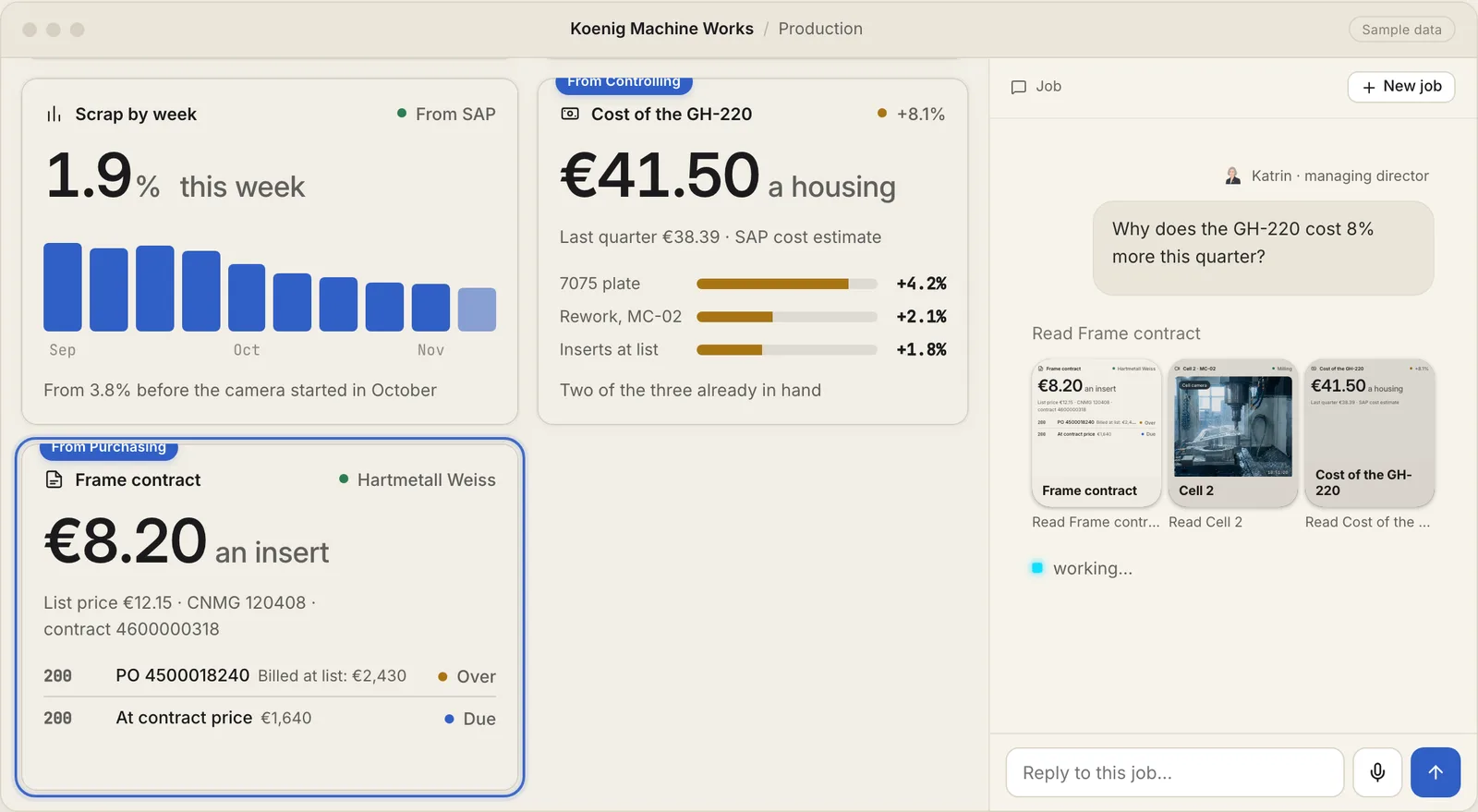
The machine shop's Production scene keeps scrap by week from SAP next to cells other teams keep: the cost of a housing from Controlling and the insert contract from Purchasing. Each one updates by itself, and the planners open the same scene every morning.
Ask in plain words
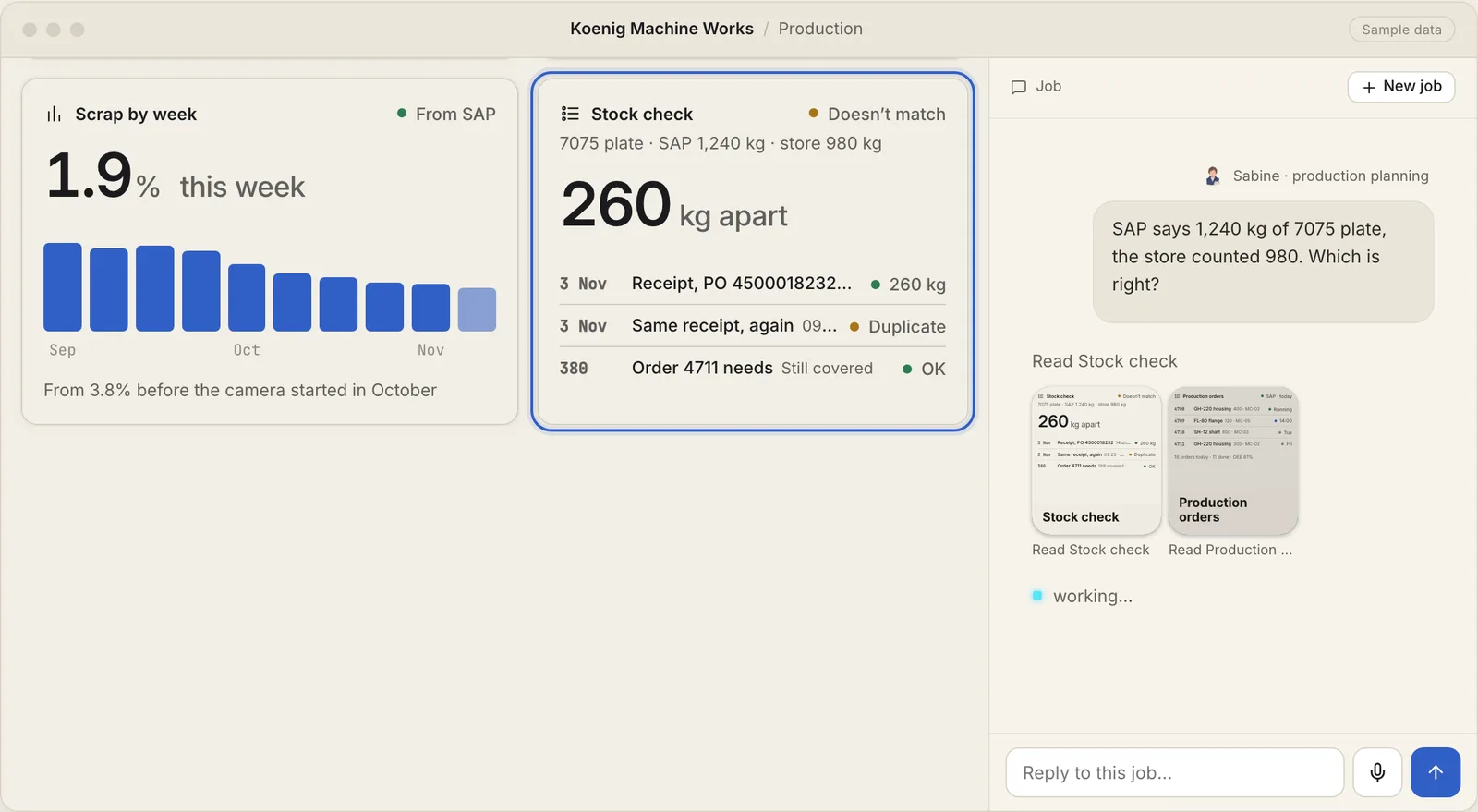
Sabine asks why SAP says 1,240 kg of plate when the store counted 980. The job reads the stock and the goods receipts, and each cell it reads shows up in the job as it reads it. It finds the same receipt booked twice, eleven minutes apart.
Changes wait for approval
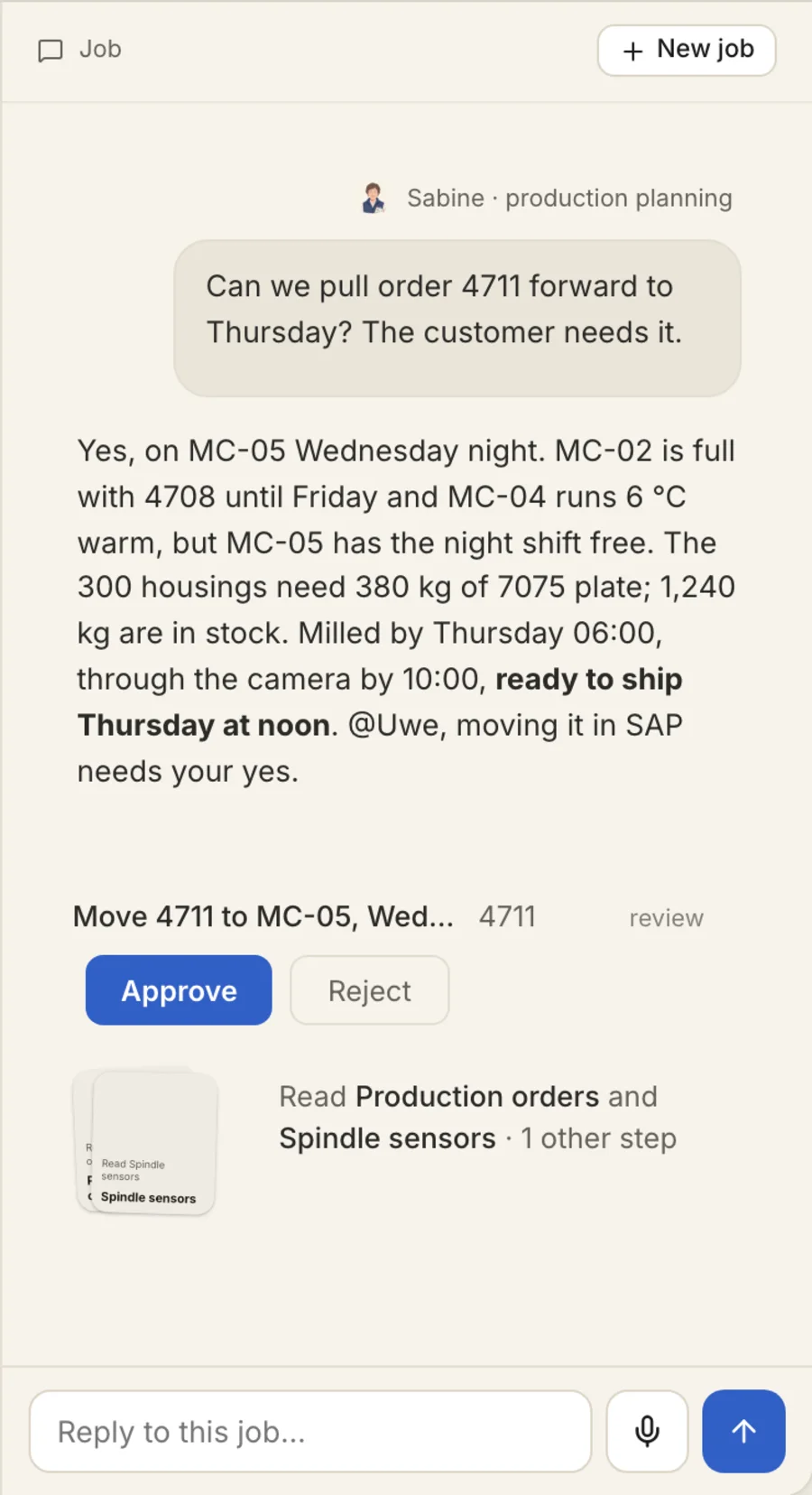
Moving the order in SAP is a change, so the job asks Uwe first and shows him exactly what will change. Reading never needs approval. If a kind of change is routine, a rule can approve it, and the job says which rule did.
See every step a job took
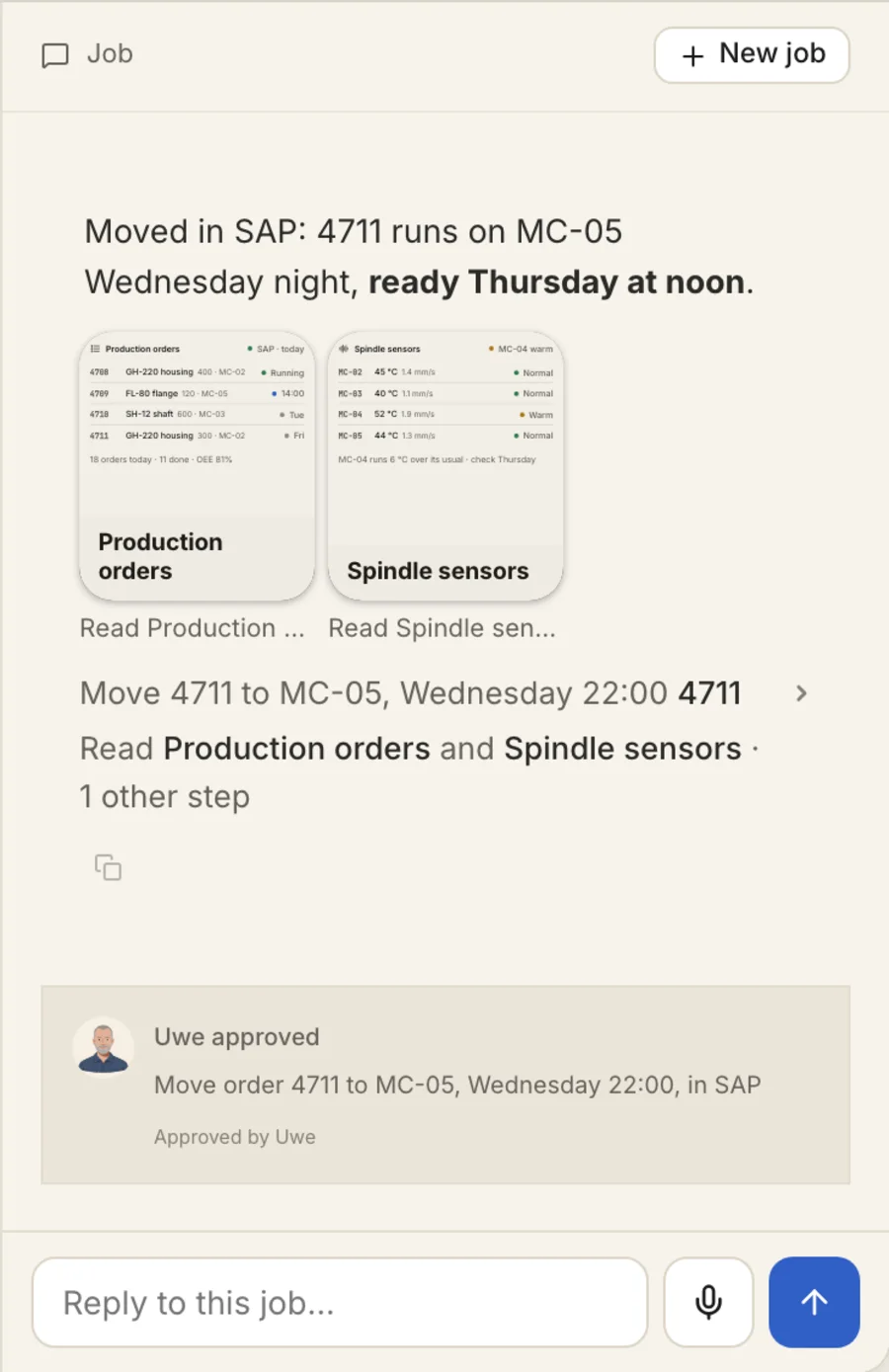
Open a finished job to see each cell it read as a card, what it changed in SAP and who approved it. Each number links to the record or file it came from.
Machines on your network
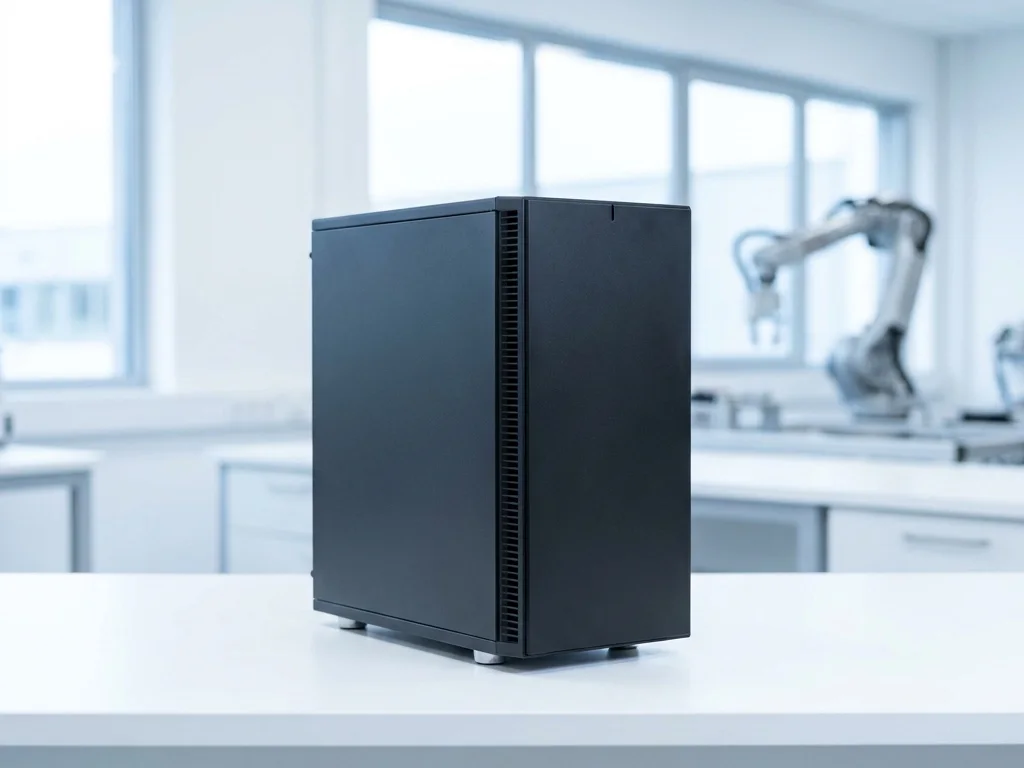
Connect a machine on your network with one command, a server in your rack, a PC on the shop floor or a Mac in the office, and its cameras, sensors and equipment show up in your scenes next to the work they belong to.
SAP next to everything else
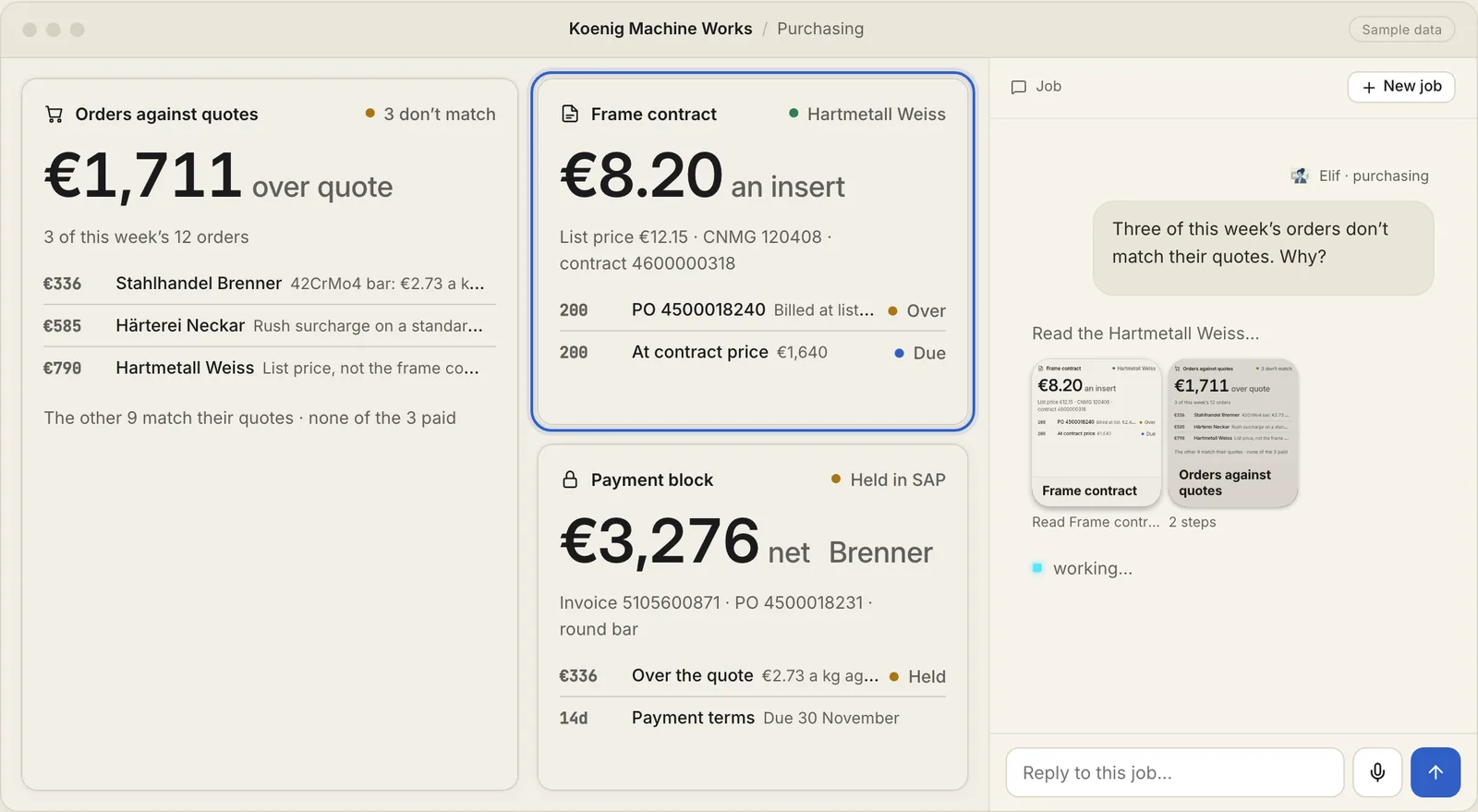
The purchasing team sees this week's orders from SAP S/4HANA next to the suppliers' quotes and the frame contract, so the three orders over their quote stand out. A job can change things in SAP, and every change waits for approval.
See it with sample data first
Open a blueprint and ask it something, or start your own on Free.